
UpdateSep 24, 2026 · Solo and above · 2 min read
Post from your personal LinkedIn profile
Rebbel now publishes approved posts from your own LinkedIn profile, in your first-person voice. You approve every post first. Setup steps are in the guide.
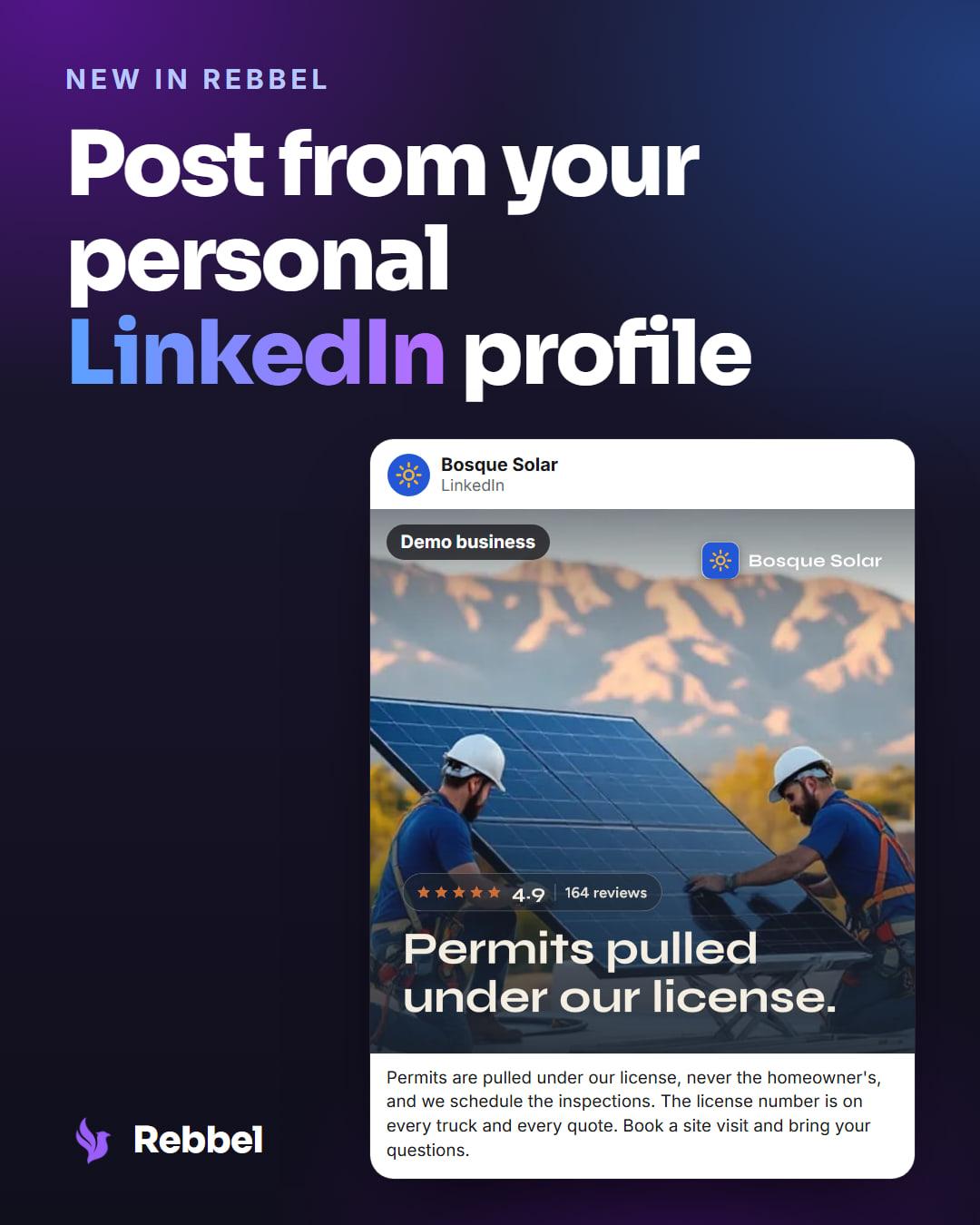
Rebbel drafts the post in your voice, you approve it, and it goes out from your profile — your name and photo, in your followers' feeds.
At a glance
- Plans
- Solo and above
- Posts as
- You, not your Page
- Length
- Up to 3,000 characters
- Re-authorize
- Every 60 days
Why we built it
For a lot of small businesses, the audience on LinkedIn follows the founder, not the company. The owner's own profile is where the conversations already happen — and until now Rebbel could only speak as the business.
LinkedIn — Personal lets your marketing department write for that profile too, without handing anyone your login and without anything going out that you haven't read.
How it works
Posts for your personal profile are written in the first person — "I", not "we" — and never invent facts about you that your brand guide doesn't state: no made-up job history, no borrowed anecdotes. While you edit, Rebbel tells you it's posting to LinkedIn as you, and the approval card reads "Will post as <your name> · personal profile", so there's never a doubt whose name goes on it.
When a post carries a link, Rebbel publishes the post and adds the link as the first comment. Up to three hashtags, up to 3,000 characters.
Posts go out from your personal profile. LinkedIn has you re-authorize a personal connection every 60 days, with one click: Rebbel reminds you on the Connections page and by email a week before it runs out, and if it lapses anyway, scheduled posts wait rather than fail.
Who it's for
- Owners and founders who want to post as themselves, not only as their business.
- Available on Solo, Growth and Department.
Set it up
- Open your brand's Connections page and choose LinkedIn — Personal.
- Continue to LinkedIn and allow Rebbel to post on your behalf.
- Approve a draft; it publishes from your profile.
The full walkthrough: Connect your personal LinkedIn profile.
Good to know
- Rebbel only posts what you approve, from your personal profile.
- LinkedIn asks you to re-authorize every 60 days; Rebbel warns you a week ahead.
- One personal profile per brand.
Keep reading
GuideSep 25, 2026 · Solo and above
How to post to LinkedIn from Claude
Connect Rebbel to Claude and LinkedIn, and Claude can draft first-person posts and publish them from your profile. Nothing goes out until you say so.
Setup guide →
ReleaseSep 18, 2026 · Every plan
Rebbel on iPhone and Android
Approve every post from your phone: get a notification when a post is ready, then approve it or send it back. Rebbel for iPhone and Android.
Last reviewed Nov 13, 2026.